> ## Documentation Index
> Fetch the complete documentation index at: https://docs.explo.co/llms.txt
> Use this file to discover all available pages before exploring further.
# Refresh Dashboard Button
> A refresh dashboard button is used to enable your customers to trigger a refresh of the dashboard manually.
 This component may cause undesired behavior if the cache is enabled. For more
information, visit [this
page.](/dashboard-features/dashboard-caching#how-dashboard-caching-works-in-practice)
## What it does
The refresh dashboard button is used to manually refresh all of the data panels on the dashboard to ensure they have the most up-to-date data
## Configuration
This component may cause undesired behavior if the cache is enabled. For more
information, visit [this
page.](/dashboard-features/dashboard-caching#how-dashboard-caching-works-in-practice)
## What it does
The refresh dashboard button is used to manually refresh all of the data panels on the dashboard to ensure they have the most up-to-date data
## Configuration
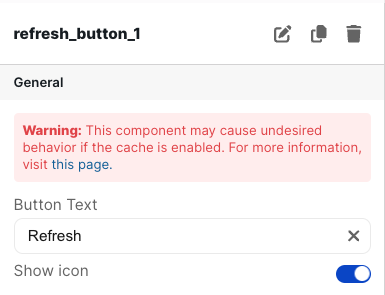 ### Basic Configuration
| Configuration Option | Description |
| -------------------- | ------------------------------------------------------------------------------------------------------- |
| Button Text | This is the text displayed on the button on the dashboard. It defaults to "Refresh Dashboard" |
| Show Icon | When toggled on, a refresh icon is shown on the left side of the text in the button. It defaults to on. |
### Basic Configuration
| Configuration Option | Description |
| -------------------- | ------------------------------------------------------------------------------------------------------- |
| Button Text | This is the text displayed on the button on the dashboard. It defaults to "Refresh Dashboard" |
| Show Icon | When toggled on, a refresh icon is shown on the left side of the text in the button. It defaults to on. |