> ## Documentation Index
> Fetch the complete documentation index at: https://docs.explo.co/llms.txt
> Use this file to discover all available pages before exploring further.
# Toggle
> The Toggle element allows you to create a single select toggle in your dashboard.
 ## What it does
The toggle element allows for you to create a single select element to pick from.
## What it does
The toggle element allows for you to create a single select element to pick from.
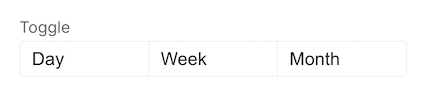 This view is also configurable from the Dropdown component. For more on the Toggle element, see the [Dropdown Section](/creating-dashboards/ui-elements/controls/dropdown).