> ## Documentation Index
> Fetch the complete documentation index at: https://docs.explo.co/llms.txt
> Use this file to discover all available pages before exploring further.
# Image
> Images can be added to your dashboard via this UI element.
## What it does
 This component allows you to add an image to your dashboard.
 ## Configuration
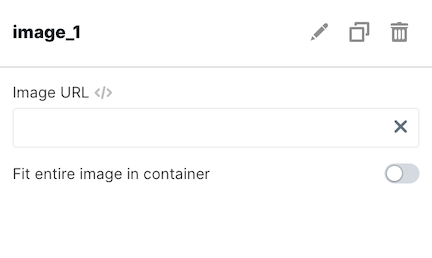
| Configuration Option | Description |
| ------------------------------------ | ------------------------------------------------------------------------------------------------ |
| Image URL | This is the url of the image you want to add. |
| Fit entire image in container toggle | Sets if the image should auto fill the size of the container or be the default size of the image |
## Configuration
| Configuration Option | Description |
| ------------------------------------ | ------------------------------------------------------------------------------------------------ |
| Image URL | This is the url of the image you want to add. |
| Fit entire image in container toggle | Sets if the image should auto fill the size of the container or be the default size of the image |