> ## Documentation Index
> Fetch the complete documentation index at: https://docs.explo.co/llms.txt
> Use this file to discover all available pages before exploring further.
# Passing in Variables
### Embedded Component
When you embed an Explo Dashboard using an embedded component, you can pass in variables directly which are then available anywhere in the dashboard that accepts variables.
```html theme={null}
```
As demonstrated above, you can pass in a set of key value pairs that define new variables that you can use in your dashboard. Full documentation for the embedded component can be found [here](/embedding-documentation/dashboard/option-1-web-component).
### URL Parameters
On any page that loads an Explo dashboard, such as with the embedded component, an IFrame URL, or the share URL, Explo looks at the URL to see if any variables are defined there.
Here are some example IFrame `src`'s showing how to embed variables:
```html theme={null}
src='https://app.explo.co/iframe/[JWT]/?var_1="hello"'
src='https://app.explo.co/iframe/[JWT]/?var_2=%22hello%22'
src='https://app.explo.co/iframe/[JWT]/?var_3=["49b11f75-15ad-446f-836c-29d0028ac3b7","d621e24b-4af3-4218-a47e-88bfc4e99b25"]'
src='https://app.explo.co/iframe/[JWT]/?var_4=%5B%2249b11f75-15ad-446f-836c-29d0028ac3b7%22%2C%22d621e24b-4af3-4218-a47e-88bfc4e99b25%22%5D'
src='https://app.explo.co/iframe/[JWT]/?var_5="{\"result\":[{\"dateChanged\":\"2010-10-10T10:10:10.000Z\",\"stores\":[\"All\"]}]}"'
```
The Explo dashboard will take the value set to `var_1`, `var_2`, etc as a variable and use the associated value.
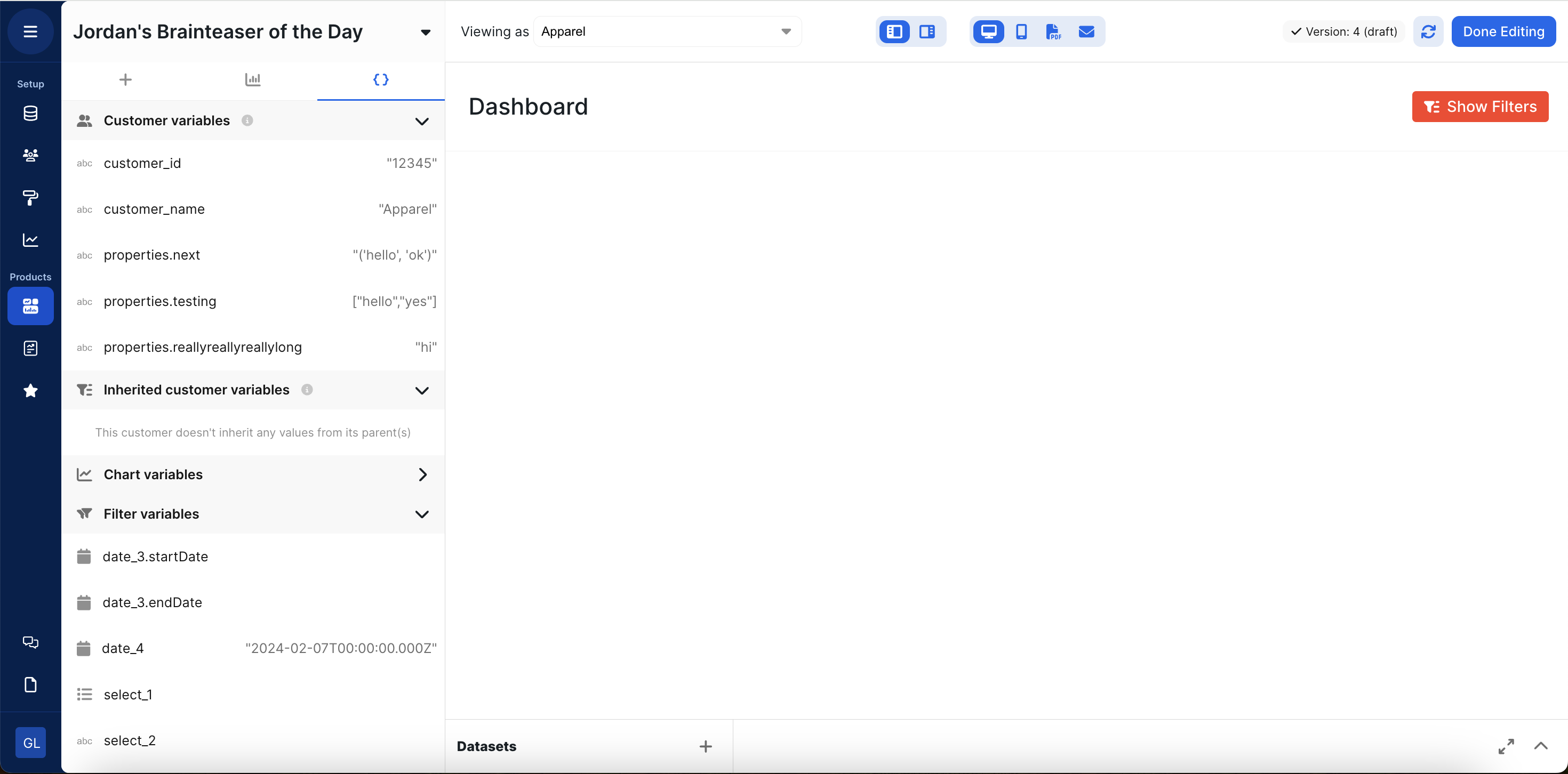
To test the variables that may be passed in via URL, look at the Variables tab. When passing in a variable via the URL, it must be URL encoded. Below is an example dashboard and the associated variables that may be passed in via URL: