> ## Documentation Index
> Fetch the complete documentation index at: https://docs.explo.co/llms.txt
> Use this file to discover all available pages before exploring further.
# Customer-Specific Variables
A customer entity is an object representing a customer at any level of the customer hierarchy.
Customer entities can be referenced as a variable in:
* Dataset queries
* Text components
* Chart titles
* Goal lines
* Progress goal totals
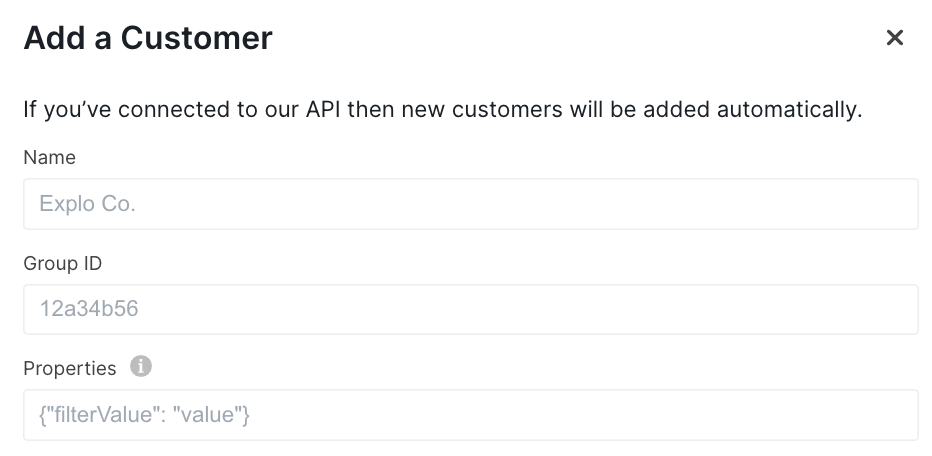 Customer entity specific variables that are created on the Customers page or via the API can be referenced.
These variables are all automatically set based on the customer entity viewing the data.
### Archetype Variables
In order to filter down data to a specific customer entity, a few variables are
provided depending on where the customer exists within the hierarchy. We call these archetype variables,
and they must be defined in order to be used in a query. If an archetype variable is referenced in a query
without being defined and it is not explicitly marked as optional, the data panel will error out.
By default, your team will have two hierarchy levels. The top level will be named `Customer` and
the bottom level will be named `User`. You will receive archetype variables that correspond to
these hierarchy level names, and they are detailed in the section below. You can view
and change the hierarchy level and parent configuration for each customer entity on the Customers
page. You can also view customer entity archetype variables on the Customers page.
If you'd like a different hierarchy setup or archetype variable configuration than the default,
please reach out to customer support.
### Default Archetype Variables
If the customer entity belongs to the top-level of the hierarchy (Customer level):
* `customer_id` : This is the given `provided_id` for this customer entity when you
[create a customer](/api-reference/customer-api).
* `customer_name` : This is the `name` provided for this customer entity when the customer is created.
If the customer entity belongs to the bottom-level of the hierarchy (User level):
* `user_id` : This is the given `provided_id` for this customer entity.
* `user_name` : This is the `name` provided for this customer entity.
* **\[inherited]** `customer_id` : If this customer entity has a parent set, this field will be inherited from its parent. So, it
will be the `provided_id` of the parent customer entity. If this customer entity does not have a parent, `customer_id` will be null,
and you will not be able to use it in a query unless you explicitly mark it as `optional`. This means your data panel will error out.
* **\[inherited]** `customer_name` : If this customer entity has a parent set, this field will be inherited from its parent. So, it
will be the `name` of the parent customer entity. If this customer entity does not have a parent, `customer_name` will be null,
and you will not be able to use it in a query unless it is marked as `optional`. This means your data panel will error out.
### Optional Archetype Variables
You may want to be able to use the same query to view as customer entities across hierarchy levels. You can use the explicit `.optional()` syntax to enable this.
When viewing a dashboard as an entity at the higher hierarchy level, there are no lower hierarchy level archetype variables defined. From the default example above,
the archetype variable `user_id` is not defined at the Customer hierarchy level since it only exists on the User level. That means this query would fail:
```
select * in table
where 1=1
[[AND customer_id = {{ customer_id }}]]
[[AND user_id = {{ user_id}}]]
```
To remedy this, we can mark the `user_id` variable as optional. It will now be removed from the query when undefined instead of raising an error.
A dashboard that uses this query can be viewed by customer entities on both the Customer and User hierarchy levels.
```
select * in table
where 1=1
[[AND customer_id = {{ customer_id }}]]
[[AND user_id = {{ user_id.optional() }}]]
```
### Custom Properties
In addition to the archetype variables, you may also add your own, custom properties on the Customers page.
When setting up your own properties, you may not overwrite any of the archetype variables.
Customer entities at any hierarchy level will have access to:
* `properties.*` : All variables passed in the `properties` object when the customer entity
is created are accessed through this format. So for example if you have
a key in the properties object called `filter_value` then you can access that
value by using `properties.filter_value`. This will include any `properties` a customer entity has
inherited from a set parent. You can see which properties have been inherited versus which have been
set on the Customers page when editing a customer entity.
### Summary Table
Here is a summary of which variables are available for a customer entity at each hierarchy level with
the default archetype configuration:
| | Top (Customer) Level | Bottom (User) Level |
| -------------- | -------------------- | -------------------------------------------------------------- |
| customer\_id | available | available if inherited from parent |
| customer\_name | available | available if inherited from parent |
| user\_id | unavailable | available |
| user\_name | unavailable | available |
| properties.\* | available | available (and includes inherited properties if parent is set) |
Customer variable names including `properties` and any of the archetype
variable names are reserved and cannot be used for dashboard elements or
custom variables.
To learn more about how to set these variables when creating the customers, reference
our customer API docs [here](/api-reference/customer-api).
Customer entity specific variables that are created on the Customers page or via the API can be referenced.
These variables are all automatically set based on the customer entity viewing the data.
### Archetype Variables
In order to filter down data to a specific customer entity, a few variables are
provided depending on where the customer exists within the hierarchy. We call these archetype variables,
and they must be defined in order to be used in a query. If an archetype variable is referenced in a query
without being defined and it is not explicitly marked as optional, the data panel will error out.
By default, your team will have two hierarchy levels. The top level will be named `Customer` and
the bottom level will be named `User`. You will receive archetype variables that correspond to
these hierarchy level names, and they are detailed in the section below. You can view
and change the hierarchy level and parent configuration for each customer entity on the Customers
page. You can also view customer entity archetype variables on the Customers page.
If you'd like a different hierarchy setup or archetype variable configuration than the default,
please reach out to customer support.
### Default Archetype Variables
If the customer entity belongs to the top-level of the hierarchy (Customer level):
* `customer_id` : This is the given `provided_id` for this customer entity when you
[create a customer](/api-reference/customer-api).
* `customer_name` : This is the `name` provided for this customer entity when the customer is created.
If the customer entity belongs to the bottom-level of the hierarchy (User level):
* `user_id` : This is the given `provided_id` for this customer entity.
* `user_name` : This is the `name` provided for this customer entity.
* **\[inherited]** `customer_id` : If this customer entity has a parent set, this field will be inherited from its parent. So, it
will be the `provided_id` of the parent customer entity. If this customer entity does not have a parent, `customer_id` will be null,
and you will not be able to use it in a query unless you explicitly mark it as `optional`. This means your data panel will error out.
* **\[inherited]** `customer_name` : If this customer entity has a parent set, this field will be inherited from its parent. So, it
will be the `name` of the parent customer entity. If this customer entity does not have a parent, `customer_name` will be null,
and you will not be able to use it in a query unless it is marked as `optional`. This means your data panel will error out.
### Optional Archetype Variables
You may want to be able to use the same query to view as customer entities across hierarchy levels. You can use the explicit `.optional()` syntax to enable this.
When viewing a dashboard as an entity at the higher hierarchy level, there are no lower hierarchy level archetype variables defined. From the default example above,
the archetype variable `user_id` is not defined at the Customer hierarchy level since it only exists on the User level. That means this query would fail:
```
select * in table
where 1=1
[[AND customer_id = {{ customer_id }}]]
[[AND user_id = {{ user_id}}]]
```
To remedy this, we can mark the `user_id` variable as optional. It will now be removed from the query when undefined instead of raising an error.
A dashboard that uses this query can be viewed by customer entities on both the Customer and User hierarchy levels.
```
select * in table
where 1=1
[[AND customer_id = {{ customer_id }}]]
[[AND user_id = {{ user_id.optional() }}]]
```
### Custom Properties
In addition to the archetype variables, you may also add your own, custom properties on the Customers page.
When setting up your own properties, you may not overwrite any of the archetype variables.
Customer entities at any hierarchy level will have access to:
* `properties.*` : All variables passed in the `properties` object when the customer entity
is created are accessed through this format. So for example if you have
a key in the properties object called `filter_value` then you can access that
value by using `properties.filter_value`. This will include any `properties` a customer entity has
inherited from a set parent. You can see which properties have been inherited versus which have been
set on the Customers page when editing a customer entity.
### Summary Table
Here is a summary of which variables are available for a customer entity at each hierarchy level with
the default archetype configuration:
| | Top (Customer) Level | Bottom (User) Level |
| -------------- | -------------------- | -------------------------------------------------------------- |
| customer\_id | available | available if inherited from parent |
| customer\_name | available | available if inherited from parent |
| user\_id | unavailable | available |
| user\_name | unavailable | available |
| properties.\* | available | available (and includes inherited properties if parent is set) |
Customer variable names including `properties` and any of the archetype
variable names are reserved and cannot be used for dashboard elements or
custom variables.
To learn more about how to set these variables when creating the customers, reference
our customer API docs [here](/api-reference/customer-api).