> ## Documentation Index
> Fetch the complete documentation index at: https://docs.explo.co/llms.txt
> Use this file to discover all available pages before exploring further.
# Overview
> An overview of the concept of customer groups and their implementation.
## What are customer groups
A customer group is a security group that can only see and access their set of data. This can be a company, a user at a company, a location, a region, etc.
## Creating customer groups
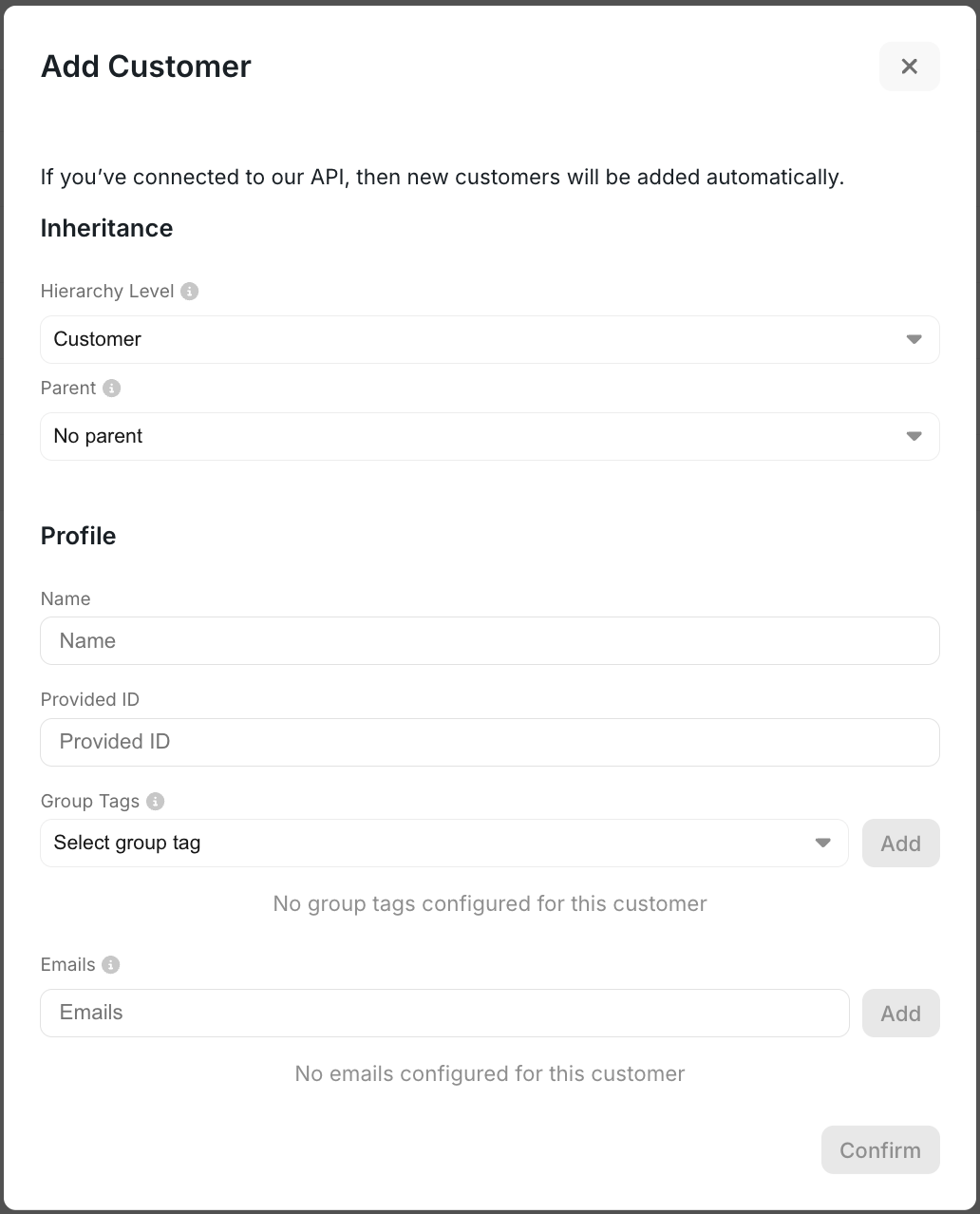
This process can be managed via the UI by navigating to the Customers tab and selecting Create Customer in the top left corner.
The fields that will be required here are `Name` and `Provided ID`.
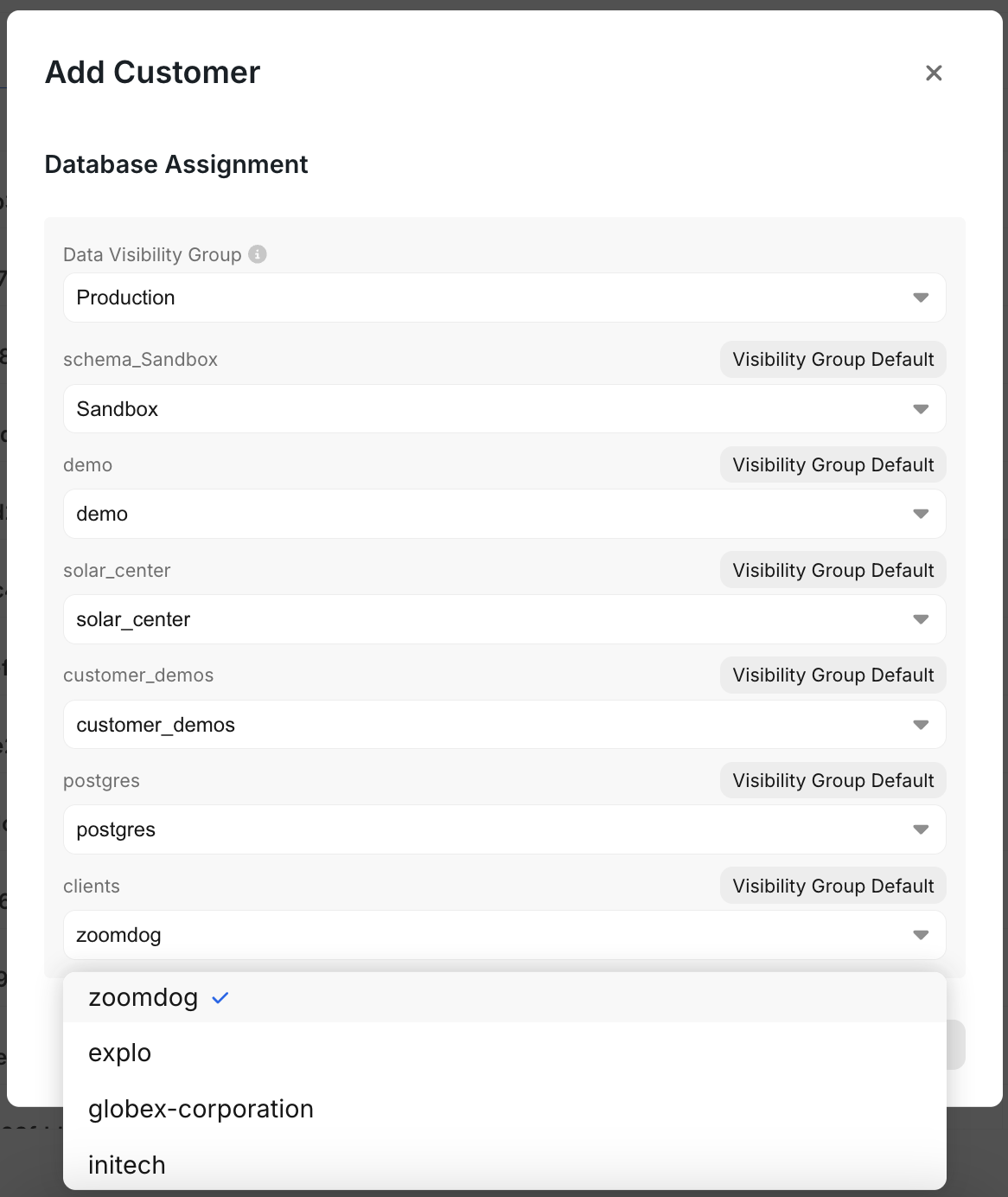
 If you are supporting a single tenant data model, there's a section at the bottom of that panel for database assignment where you can choose which database this particular customer has access to within a schema.
 Or you can leverage our [API endpoint](/api-reference/customer-api/get-or-create) to programmatically create them.
## Using customer groups
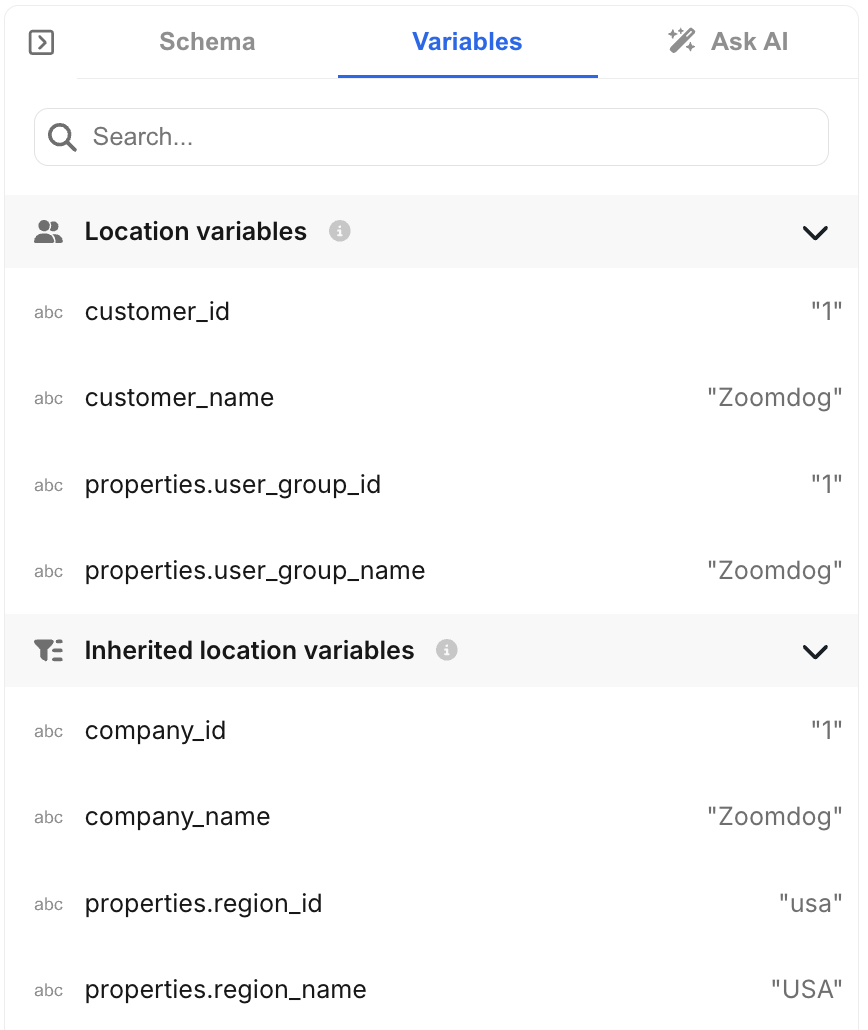
You are always viewing a dashboard in the context of a customer. When you create a dataset, you are able to pass in variables associated to that customer into the query. You can open the variables section in the dataset editor to see what you can access.
Or you can leverage our [API endpoint](/api-reference/customer-api/get-or-create) to programmatically create them.
## Using customer groups
You are always viewing a dashboard in the context of a customer. When you create a dataset, you are able to pass in variables associated to that customer into the query. You can open the variables section in the dataset editor to see what you can access.
 When using variables they need to get wrapped in `{{}}` and all statement that have variables need to get wrapped in `[[]]`.
If you have a multi-tenant data model this may look something like
`WHERE 1=1`
`[[AND fieldFromDB = {{customer_id}}]]`
Whereas if you have a single tenant data model you can instead pass in the variable into the table name.
`[[FROM {{customer_id}}]]`
This will ensure that your end users will only have access to their data.
When using variables they need to get wrapped in `{{}}` and all statement that have variables need to get wrapped in `[[]]`.
If you have a multi-tenant data model this may look something like
`WHERE 1=1`
`[[AND fieldFromDB = {{customer_id}}]]`
Whereas if you have a single tenant data model you can instead pass in the variable into the table name.
`[[FROM {{customer_id}}]]`
This will ensure that your end users will only have access to their data.