> ## Documentation Index
> Fetch the complete documentation index at: https://docs.explo.co/llms.txt
> Use this file to discover all available pages before exploring further.
# Assigning Values
> Once you have created attributes and values you can start assigning them to your dashboards. There are two places that this can be done.
### Dashboard List Page
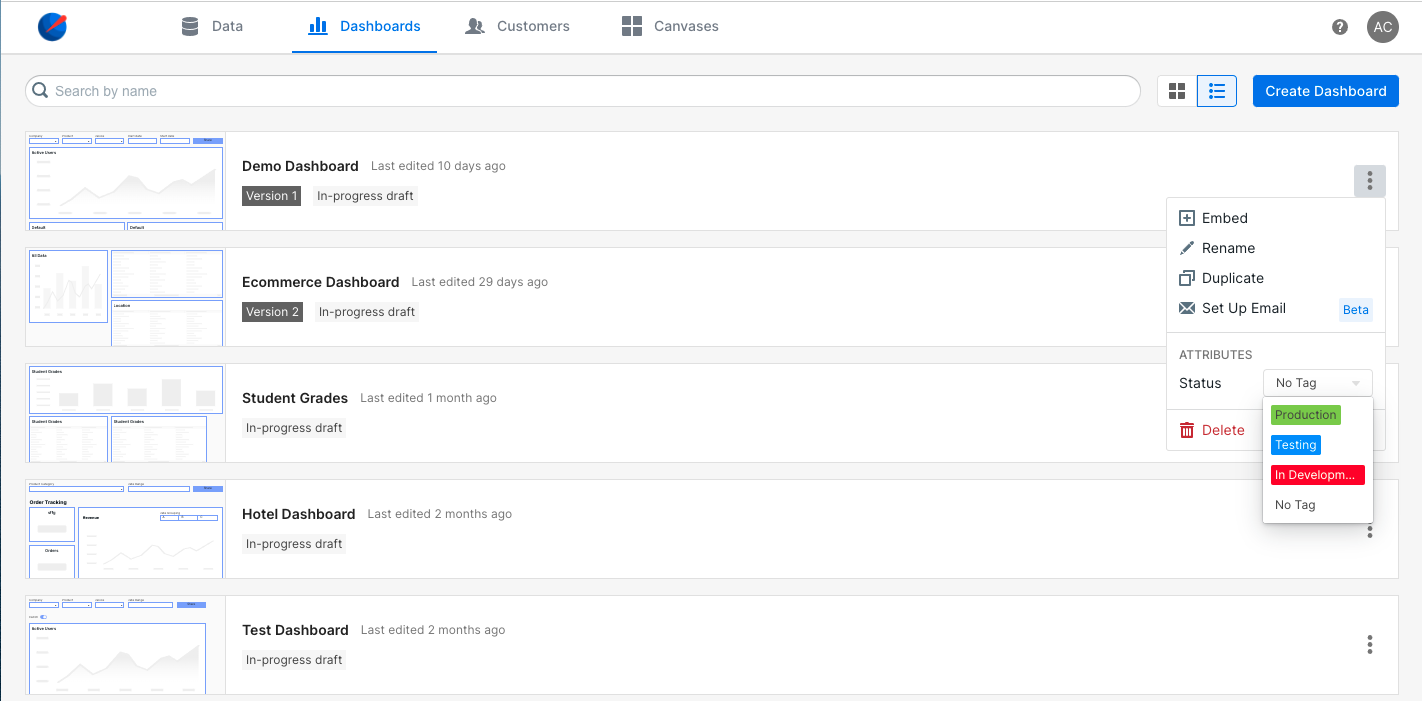
On the dashboard page you can assign them by clicking on the menu button and
choosing the value you want assigned for that dashboard.
 ### Dashboard Edit Page
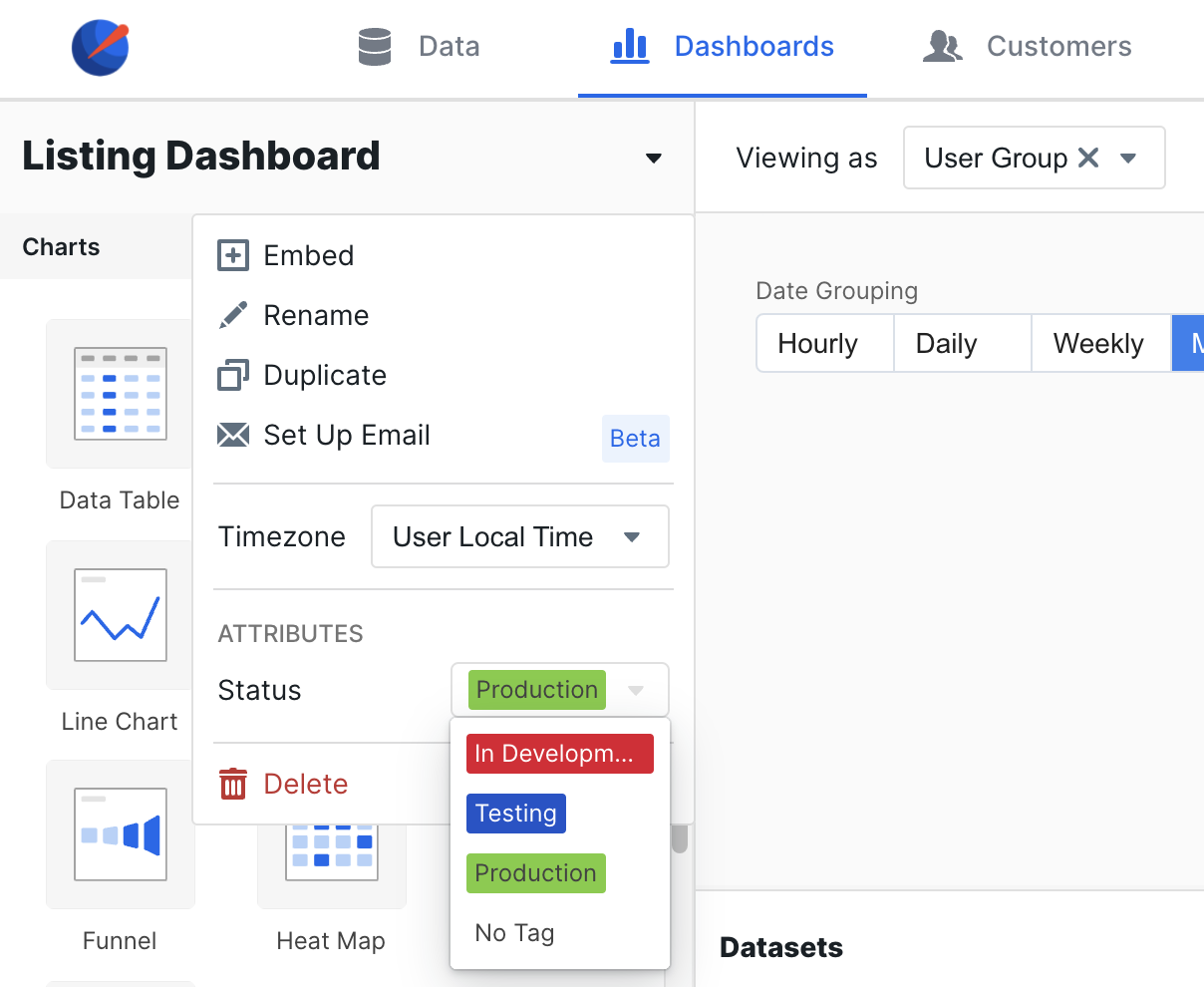
When viewing or editing a dashboard you can click on the down arrow next to the
dashboard name to open up the menu where you can assign values to the dashboard.
### Dashboard Edit Page
When viewing or editing a dashboard you can click on the down arrow next to the
dashboard name to open up the menu where you can assign values to the dashboard.