> ## Documentation Index
> Fetch the complete documentation index at: https://docs.explo.co/llms.txt
> Use this file to discover all available pages before exploring further.
# Duplicating Dashboards
> Learn how to duplicate dashboards in Explo
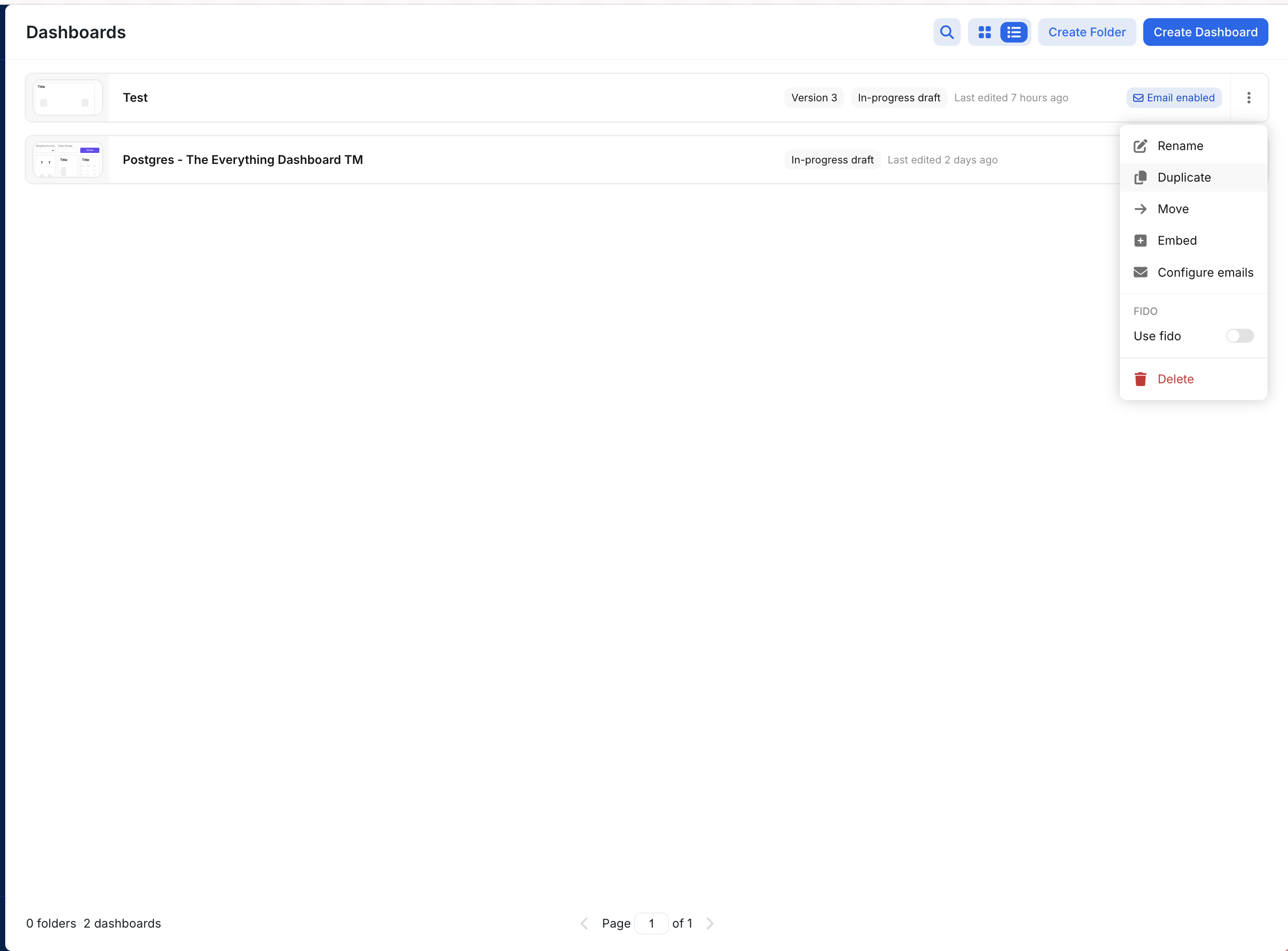
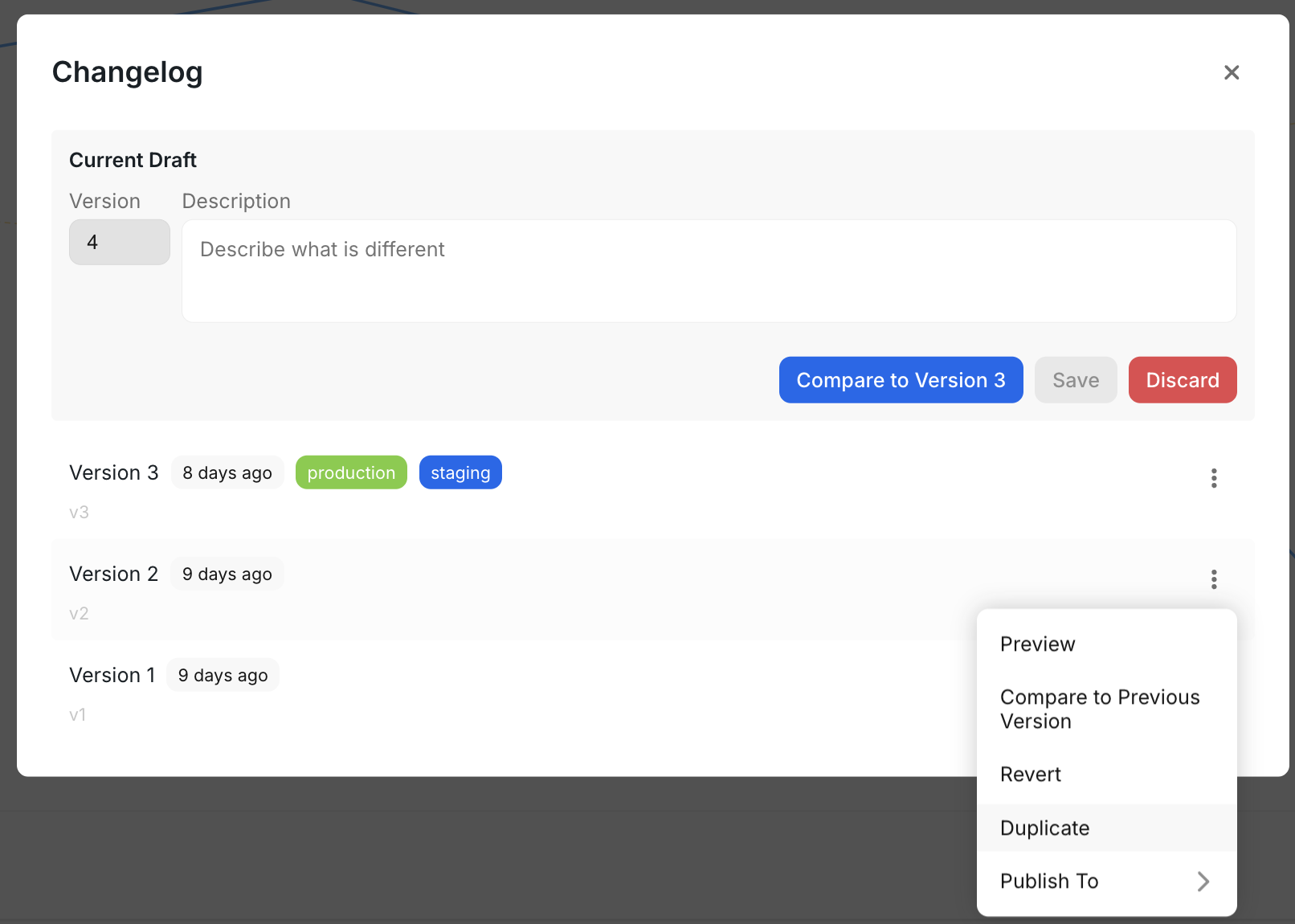
You can duplicate a dashboard in two ways:
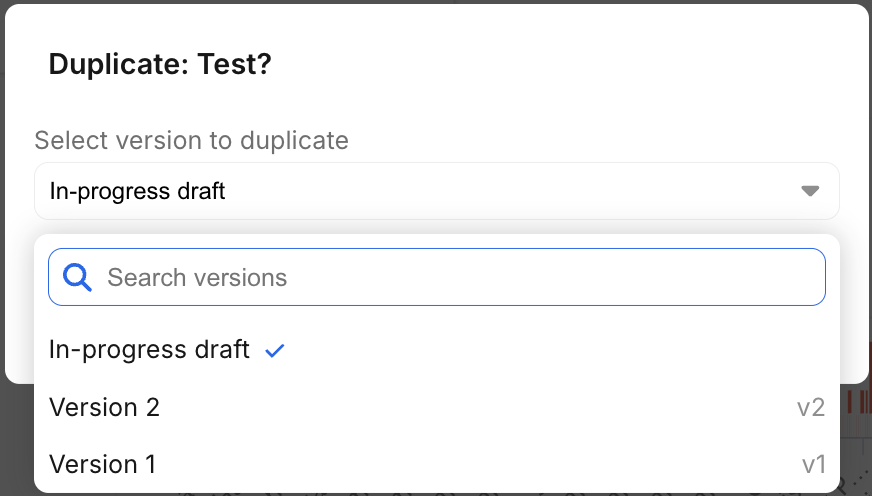
1. **From the Resource List Page**: Locate the dashboard you want to duplicate, click the options menu, and select "Duplicate". You will be prompted to select a specific version to duplicate.
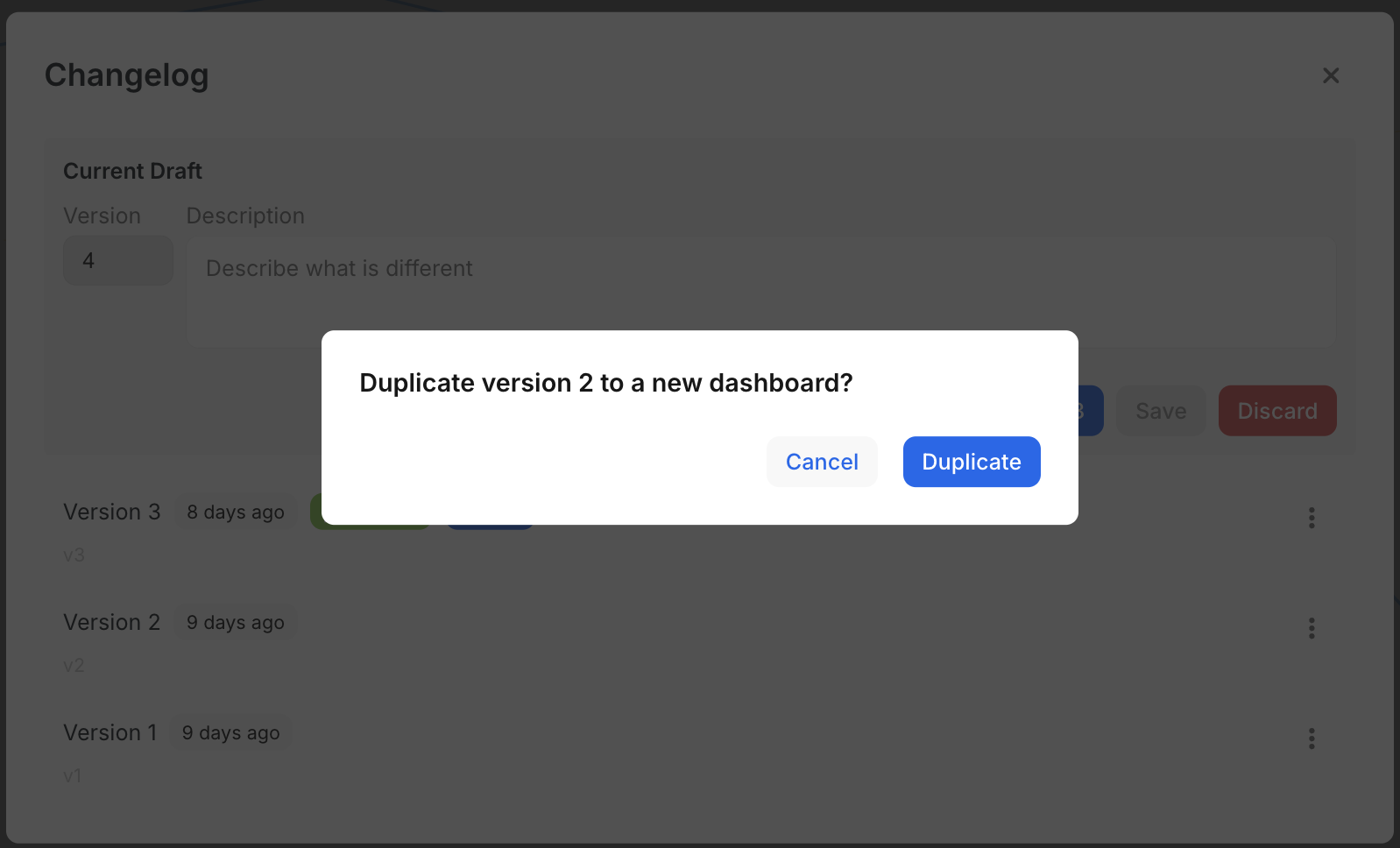
 2. **From the Version Control Panel**: Open the dashboard, navigate to the version control panel, and select the version you want to duplicate.
 ### Important Notes
* Scheduled emails will not be duplicated.
* Ensure you have the necessary permissions to duplicate dashboards.
### Important Notes
* Scheduled emails will not be duplicated.
* Ensure you have the necessary permissions to duplicate dashboards.