> ## Documentation Index
> Fetch the complete documentation index at: https://docs.explo.co/llms.txt
> Use this file to discover all available pages before exploring further.
# Scheduling Emails
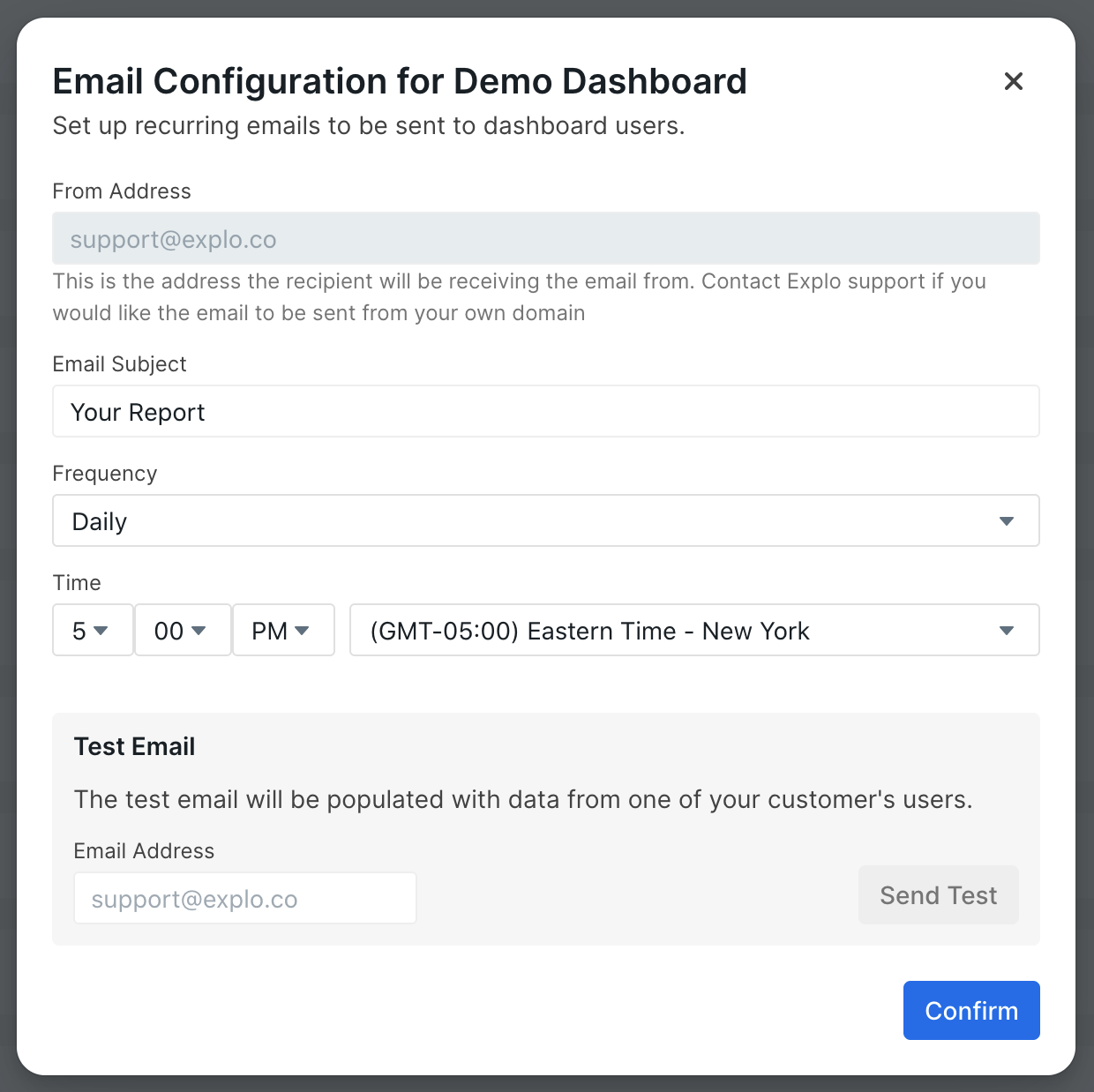
From the Dashboard tab, you can open the Set Up Email modal for each of your
dashboards. This modal contains options to configure how and when your emails
get sent out to each of your customers.
 When emails for your dashboard are sent out, they are sent to each of the emails
you've set up for your customers. The dashboard is populated with
the data for the corresponding customer. See the
[customer api documentation](/api-reference/customer-api/get-or-create) for more
information about how to configure customers.
Note that you must have emails set for your team's customers in order for
emails to be sent.
If a dashboard version is tagged with an `email` environment tag, that version
will be used for the emails. Otherwise, the version tagged with `production`
will be used.
### Email Frequency
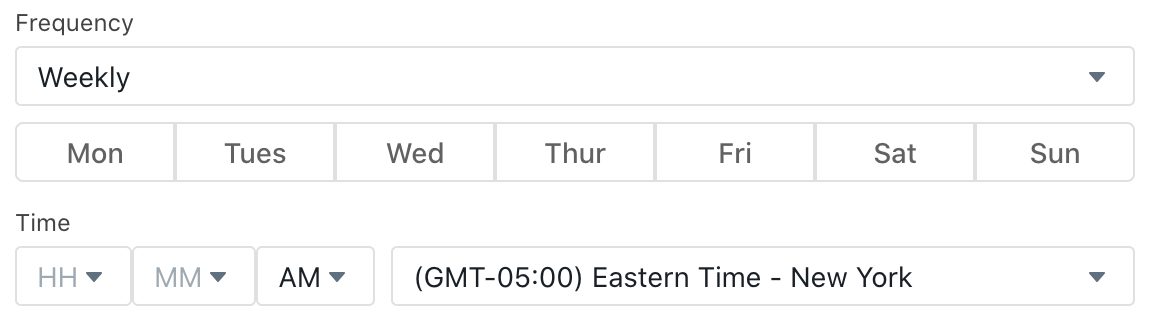
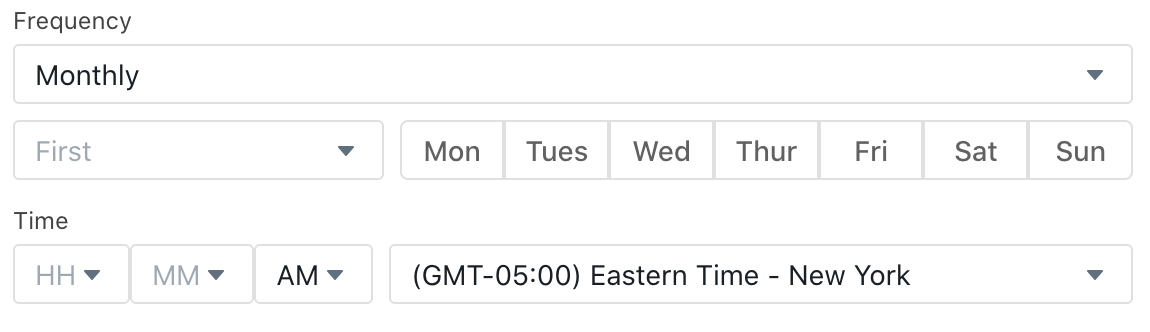
There are three options available for email frequency: daily, weekly, and
monthly. The daily frequency sends emails out every day at the given time, the
weekly frequency sends out each week on the specified day at the given time, and
the monthly sends out on the given occurence of the specified day at the given
time.
Weekly Frequency Options
When emails for your dashboard are sent out, they are sent to each of the emails
you've set up for your customers. The dashboard is populated with
the data for the corresponding customer. See the
[customer api documentation](/api-reference/customer-api/get-or-create) for more
information about how to configure customers.
Note that you must have emails set for your team's customers in order for
emails to be sent.
If a dashboard version is tagged with an `email` environment tag, that version
will be used for the emails. Otherwise, the version tagged with `production`
will be used.
### Email Frequency
There are three options available for email frequency: daily, weekly, and
monthly. The daily frequency sends emails out every day at the given time, the
weekly frequency sends out each week on the specified day at the given time, and
the monthly sends out on the given occurence of the specified day at the given
time.
Weekly Frequency Options
 Monthly Frequency Options
 ### Sending a Test Email
To view what your dashboard will look like in an email, you can send a test
email by supplying an email address in the test email box and hitting "Send
Test." A test email will populate the dashboard with a random customer's
data and will send to the email address you supply.
### Sending a Test Email
To view what your dashboard will look like in an email, you can send a test
email by supplying an email address in the test email box and hitting "Send
Test." A test email will populate the dashboard with a random customer's
data and will send to the email address you supply.