> ## Documentation Index
> Fetch the complete documentation index at: https://docs.explo.co/llms.txt
> Use this file to discover all available pages before exploring further.

# Iframe Example

In order to listen for an incoming event, you need to add an event listener for `message`, like this `window.addEventListener("message", messageListener)`. Then all of the different incoming events will be available to be consumed.

```
<!DOCTYPE html>
<html lang="en">
  <head>
    <script>
      const messageListener = (e) => {
        // Check origin of message before reading
        if (e.origin != "https://app.explo.co") return;
        console.log(e.data.event, e.data.detail);
      };
      window.addEventListener("message", messageListener);
    </script>
  </head>
  <body>
    <iframe
      src="https://app.explo.co/iframe/<jwt>"
      style="width: 100%; border: none; height: 100vh"
    >
    </iframe>
  </body>
</html>
```

The console log output looks like this:
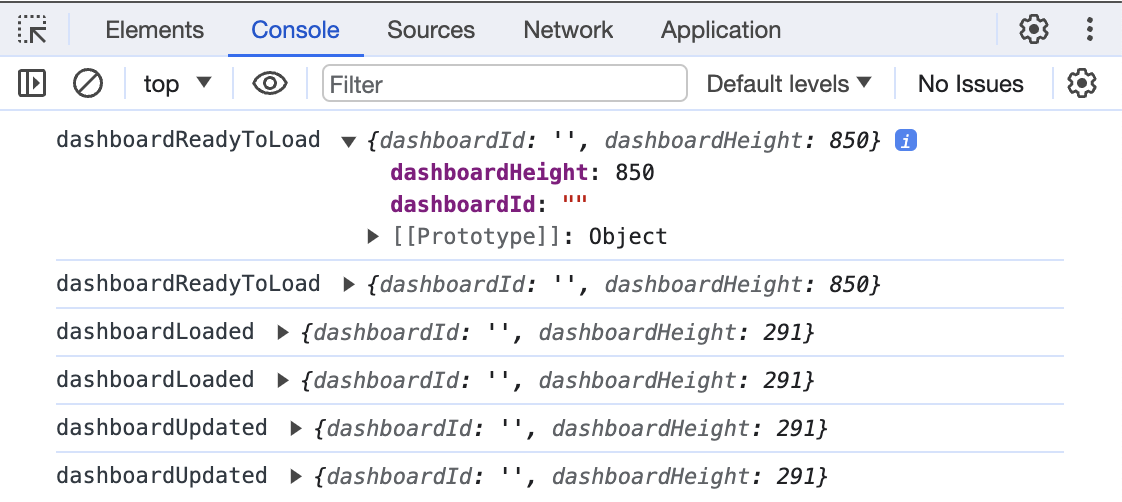
<img src="https://mintcdn.com/explo/CaJC4DeBEWf_KlnL/images/custom-js-events/incoming-event-iframe-output-example.png?fit=max&auto=format&n=CaJC4DeBEWf_KlnL&q=85&s=7fd2680e46a5bc57dd5a491ef51a99d5" alt="iFrame output" width="1122" height="502" data-path="images/custom-js-events/incoming-event-iframe-output-example.png" />
