> ## Documentation Index
> Fetch the complete documentation index at: https://docs.explo.co/llms.txt
> Use this file to discover all available pages before exploring further.
# Editing the Current Draft
> In Explo, versions follow a linear history. You always start editing off of the most recent version of the dashboard or report builder.
### Entering Edit Mode
To begin editing the most recent version, click the "Edit" button in the top
right of the page.
 In the above example, there is no current draft since Version 3 has already been
publish. Thus, when you click Edit, it will create a new draft, Version 5.
In the above example, there is no current draft since Version 3 has already been
publish. Thus, when you click Edit, it will create a new draft, Version 5.
 ### Edit Interface
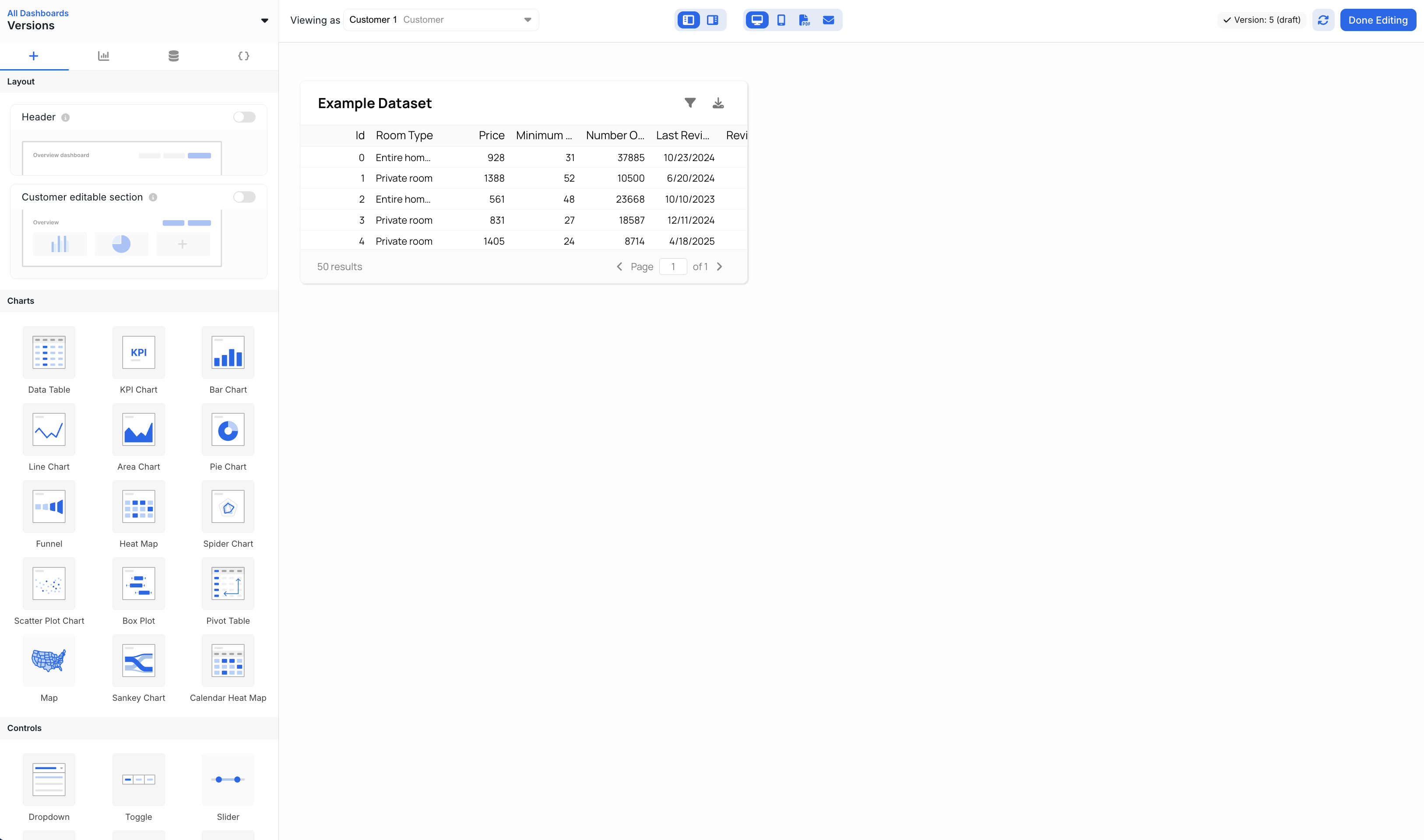 After clicking edit, the editing controls will open up. In here, you
can create new datasets, add new components, and configure the chart.
### Saving Changes
All changes that you make to the elements, layout, and dataset are
automatically saved to the current draft
After clicking edit, the editing controls will open up. In here, you
can create new datasets, add new components, and configure the chart.
### Saving Changes
All changes that you make to the elements, layout, and dataset are
automatically saved to the current draft
 When you refresh the page or come back to your edits later, they will still be
there. However, since this is jut a draft, the edits will not be pushed to your
production applications until they have been published.
When you refresh the page or come back to your edits later, they will still be
there. However, since this is jut a draft, the edits will not be pushed to your
production applications until they have been published.