> ## Documentation Index
> Fetch the complete documentation index at: https://docs.explo.co/llms.txt
> Use this file to discover all available pages before exploring further.
# Managing Environment Tags
 ### What are environment tags?
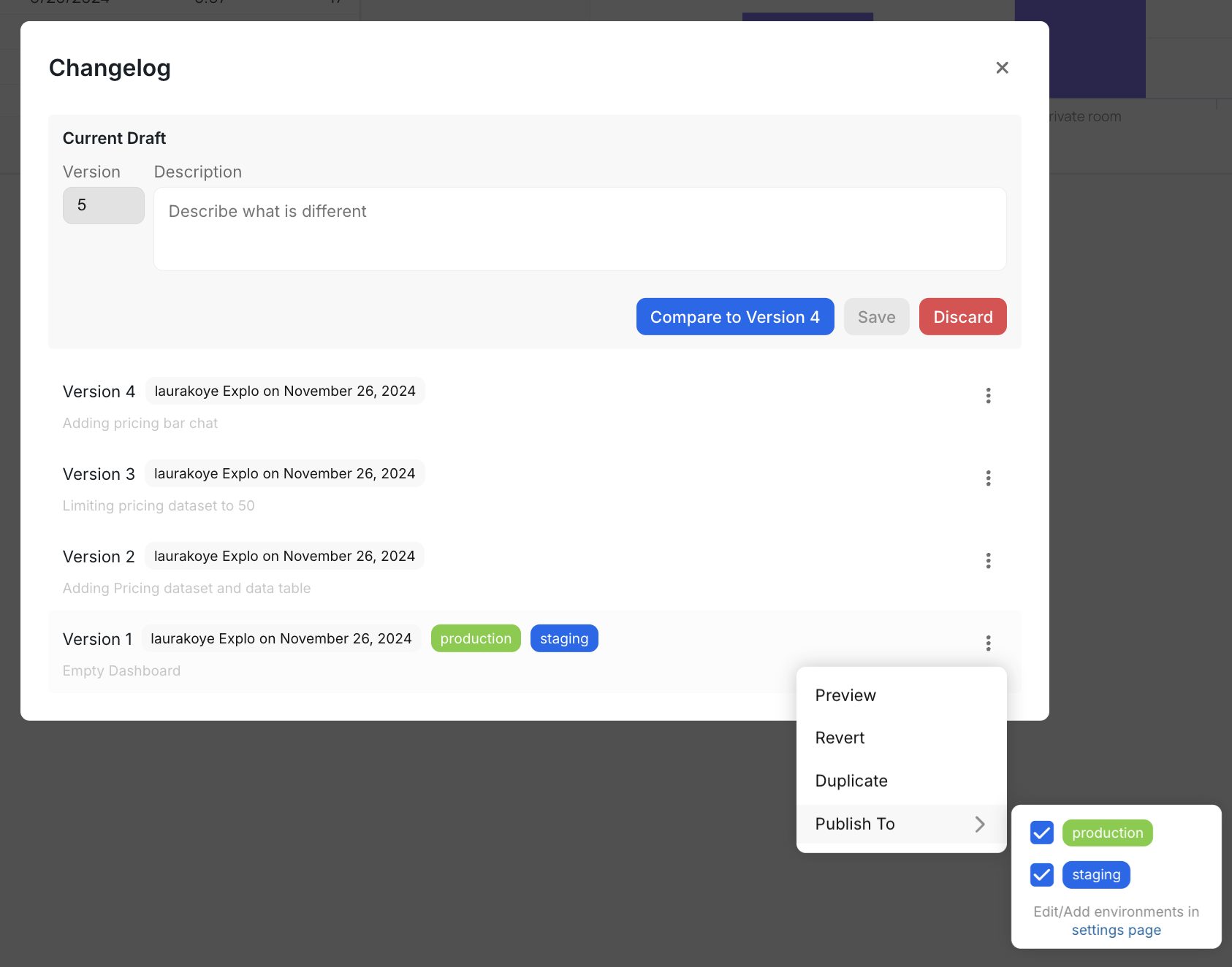
Environment tags are a way of managing which version of the dashboard or report builder is being
shown in your application. When you embed, you can pass in an
environment field which corresponds to an environment tag. The embedded
component will then render the resource associated with the provided
environment tag.
### Creating new environment tags
By default, your account has a `production` and `staging` environment tag. You
may create any number of tags to manage as many environments as you may have.
### What are environment tags?
Environment tags are a way of managing which version of the dashboard or report builder is being
shown in your application. When you embed, you can pass in an
environment field which corresponds to an environment tag. The embedded
component will then render the resource associated with the provided
environment tag.
### Creating new environment tags
By default, your account has a `production` and `staging` environment tag. You
may create any number of tags to manage as many environments as you may have.
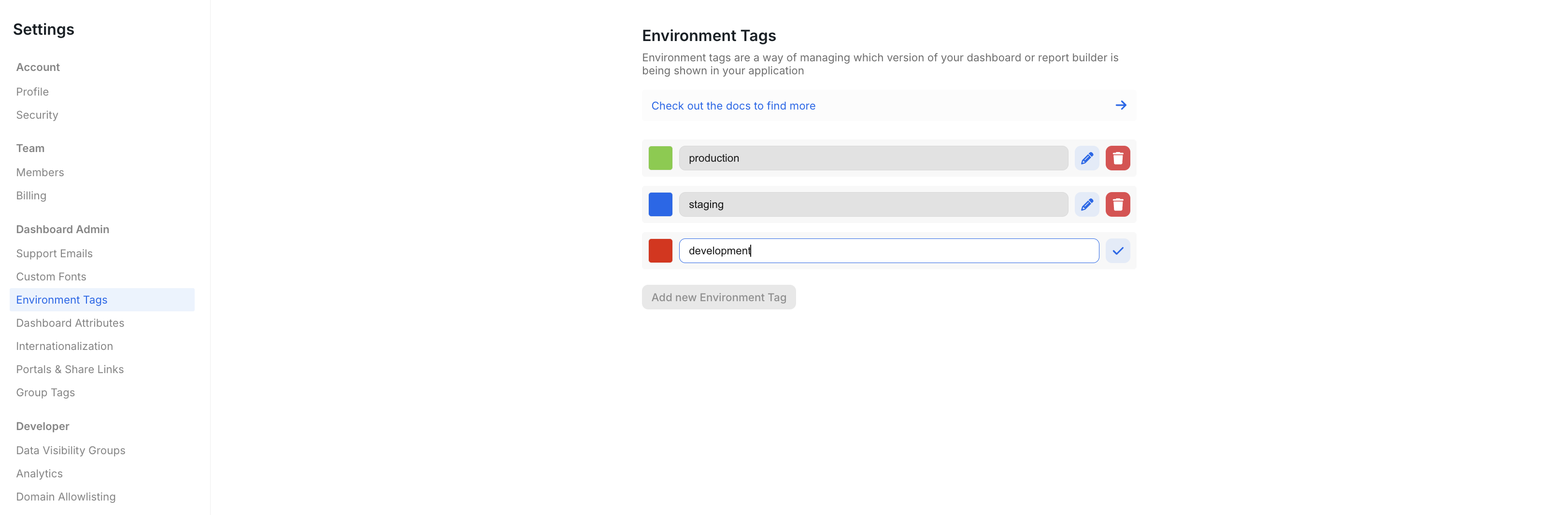 To create a new environment, click "Add new Environment Tag" and then configure the new tag.
Read more about publishing a version to a specific environment [here](/general-features/version-control/publishing-a-new-version).
### Special environment tags for Dashboards
Some environment tags have special behavior for emails and the customer portal. If a dashboard version is tagged with `portal`, then
that version will be used by the customer portal. If a dashboard version is tagged with `email`, then that version will be used by
for scheduled email reports.
To create a new environment, click "Add new Environment Tag" and then configure the new tag.
Read more about publishing a version to a specific environment [here](/general-features/version-control/publishing-a-new-version).
### Special environment tags for Dashboards
Some environment tags have special behavior for emails and the customer portal. If a dashboard version is tagged with `portal`, then
that version will be used by the customer portal. If a dashboard version is tagged with `email`, then that version will be used by
for scheduled email reports.