> ## Documentation Index
> Fetch the complete documentation index at: https://docs.explo.co/llms.txt
> Use this file to discover all available pages before exploring further.
# Publishing a New Version
> All changes you make to the current draft are not yet made accessible to embed until you publish the draft as a new version.
To publish a version, navigate back to the preview page and select the "Version
Control" modal.
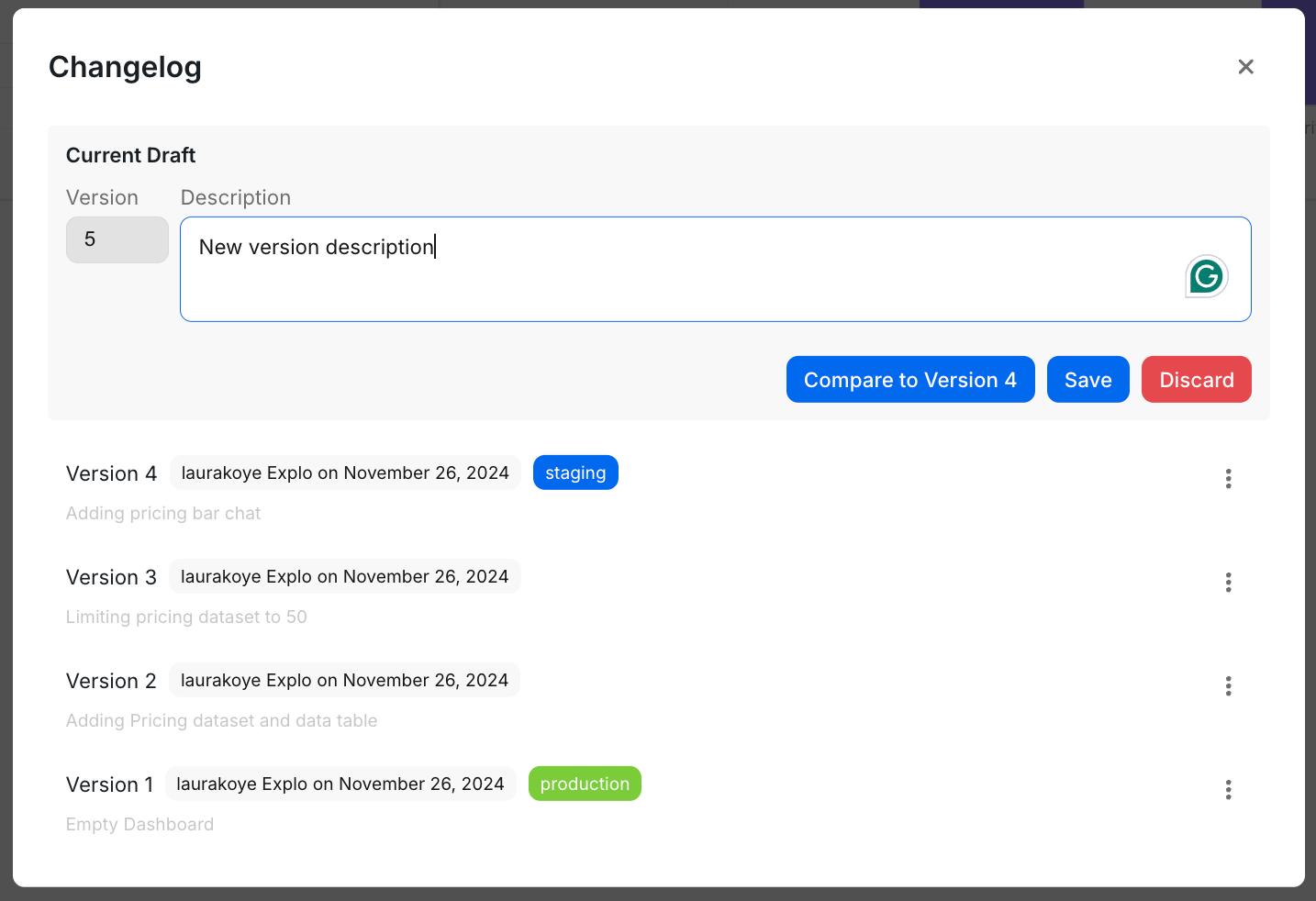 Add in a description of the changes made and click "Save". In the next
section, we'll explain how to manage the environment tags for the different
versions. Add in a description of the changes made and click "Save". In
the next section, we'll explain how to manage the environment tags for the
different versions.
### Publishing to an environment
Add in a description of the changes made and click "Save". In the next
section, we'll explain how to manage the environment tags for the different
versions. Add in a description of the changes made and click "Save". In
the next section, we'll explain how to manage the environment tags for the
different versions.
### Publishing to an environment
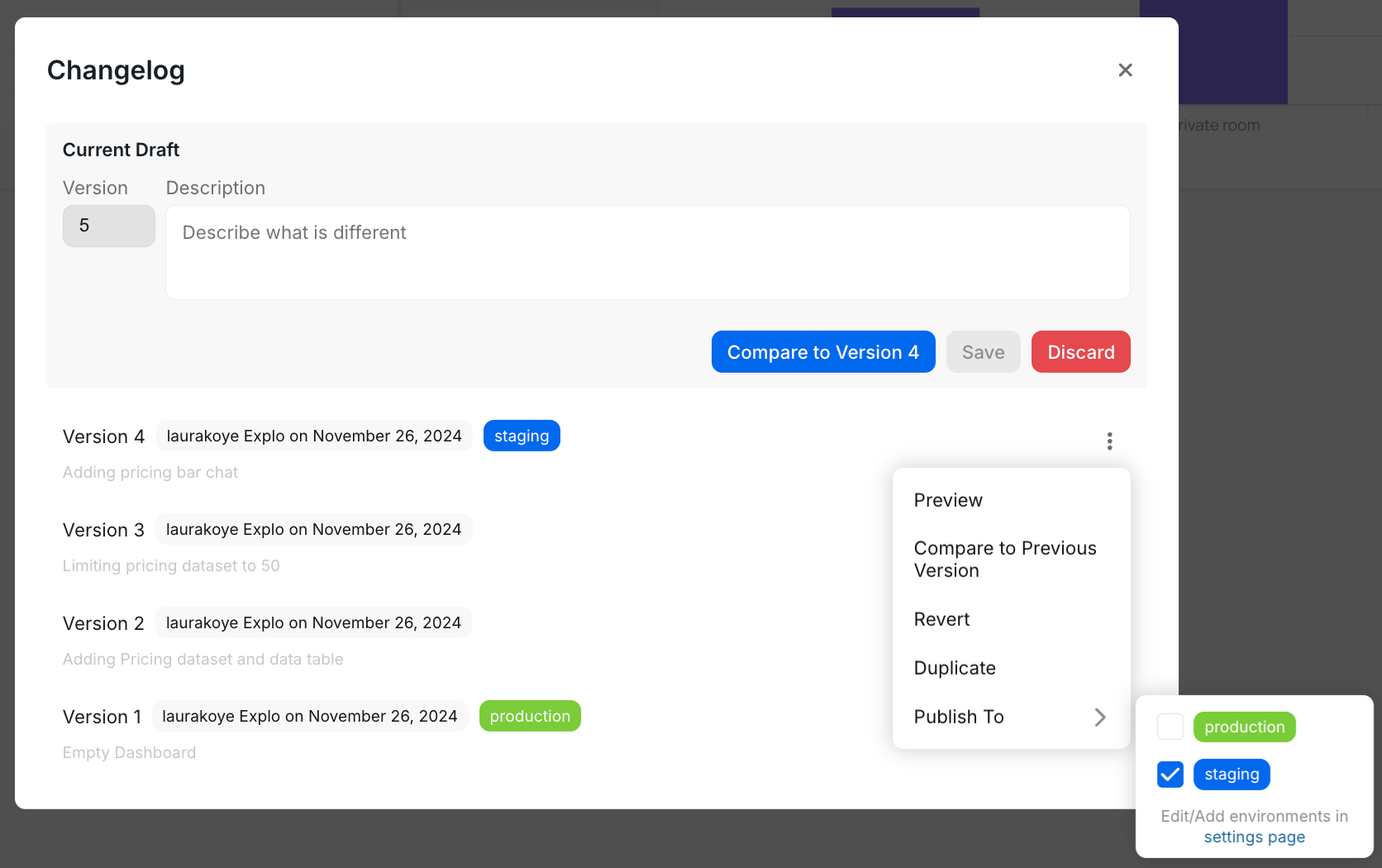 To publish a version to an environment, simply select the "Publish To" option
and select the environment you would like to publish the version to.
This action will publish this version to any part of your website which is
embedding an Explo dashboard or report builder with that environment tag specified.
To publish a version to an environment, simply select the "Publish To" option
and select the environment you would like to publish the version to.
This action will publish this version to any part of your website which is
embedding an Explo dashboard or report builder with that environment tag specified.