
Documentation Index

Fetch the complete documentation index at: https://docs.explo.co/llms.txt

Use this file to discover all available pages before exploring further.

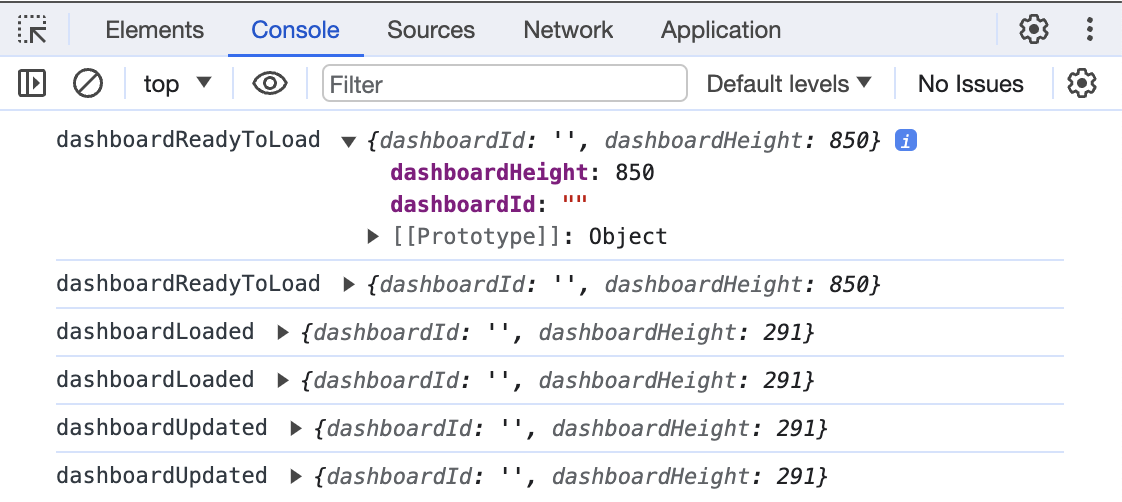
In order to listen for an incoming event, you need to add an event listener for message, like this window.addEventListener("message", messageListener). Then all of the different incoming events will be available to be consumed.
<!DOCTYPE html>
<html lang="en">
  <head>
    <script>
      const messageListener = (e) => {
        // Check origin of message before reading
        if (e.origin != "https://app.explo.co") return;
        console.log(e.data.event, e.data.detail);
      };
      window.addEventListener("message", messageListener);
    </script>
  </head>
  <body>
    <iframe
      src="https://app.explo.co/iframe/<jwt>"
      style="width: 100%; border: none; height: 100vh"
    >
    </iframe>
  </body>
</html>
The console log output looks like this: iFrame output